I wanted a clean publish pipeline for my Hugo blog hosted on a Netcup VPS. The goal was simple: push to the main branch in Azure DevOps, and the live site update automatically. No manual builds, no FTP.
The VPS already runs Pangolin, which bundles Traefik as its reverse proxy. That meant I had an existing Docker network and a working cert resolver to plug into. The missing pieces were the Hugo serving container, a deploy user with SSH access, and an Azure Pipeline to tie it together.
Prerequisites
- A Hugo repository hosted in Azure DevOps Repos
- A VPS with Pangolin already running (Traefik and the
pangolinDocker network are assumed to exist) - SSH root access to the VPS
- The Hugo theme installed as a git submodule (relevant for the pipeline checkout step)
Setting up the VPS
Directory structure
mkdir -p /apps/hugo/public
The public directory is the rsync target from the pipeline and the webroot for nginx. A placeholder index.html prevents nginx from returning a 403 before the first real deploy lands.
echo "<html><body>Coming soon</body></html>" > /apps/hugo/public/index.html
Docker Compose
Create /apps/hugo/docker-compose.yml:
services:
  hugo:
    image: nginx:alpine
    container_name: hugo
    restart: unless-stopped
    volumes:
      - ./public:/usr/share/nginx/html:ro
    networks:
      - pangolin

networks:
  pangolin:
    external: true
The container joins the pangolin Docker network so Traefik can reach it by container name. No labels are needed here. Pangolin’s Traefik does not use the Docker provider, so labels on containers are ignored entirely. Routing is configured through Traefik’s file provider instead, covered in the next section.
Start the container:
cd /apps/hugo
docker compose up -d
DNS
Add an A record pointing to the VPS IP before starting the container. Let’s Encrypt needs the domain to resolve correctly for the HTTP-01 challenge. Add a CNAME for the www subdomain at the same time.
hendrickxconsulting.com      A      IP-ADDRESS-OF-VPS
www.hendrickxconsulting.com  CNAME  hendrickxconsulting.com
Traefik configuration
Pangolin’s Traefik uses a file provider and an HTTP provider that polls Pangolin’s own API. There is no Docker provider. The routing for the hugo container needs to be added manually to /apps/pangolin/config/traefik/dynamic_config.yml.
Add the following to the middlewares, routers, and services sections of that file. The www router includes a redirect to the bare domain so both addresses work but canonicalise correctly.
http:
  middlewares:
    # ... existing middlewares ...
    redirect-to-non-www:
      redirectRegex:
        regex: "^https://www\\.hendrickxconsulting\\.com(.*)"
        replacement: "https://hendrickxconsulting.com${1}"
        permanent: true

  routers:
    # ... existing routers ...
    hugo-router:
      entryPoints:
        - websecure
      middlewares:
        - security-headers
      rule: Host(`hendrickxconsulting.com`)
      service: hugo-service
      tls:
        certResolver: letsencrypt

    hugo-router-redirect:
      entryPoints:
        - web
      middlewares:
        - redirect-to-https
      rule: Host(`hendrickxconsulting.com`)
      service: hugo-service

    hugo-router-www:
      entryPoints:
        - websecure
      middlewares:
        - security-headers
        - redirect-to-non-www
      rule: Host(`www.hendrickxconsulting.com`)
      service: hugo-service
      tls:
        certResolver: letsencrypt

    hugo-router-www-redirect:
      entryPoints:
        - web
      middlewares:
        - redirect-to-https
      rule: Host(`www.hendrickxconsulting.com`)
      service: hugo-service

  services:
    # ... existing services ...
    hugo-service:
      loadBalancer:
        servers:
          - url: http://hugo:80
Traefik watches this file and reloads automatically. No restart needed.
Geoblock
Pangolin ships with a geoblock middleware applied globally on the websecure entrypoint in traefik_config.yml. That is fine for tunnelled homelab services but wrong for a public blog. The fix is to remove it from the global entrypoint and apply it explicitly only to the Pangolin-specific routers.
In /apps/pangolin/config/traefik/traefik_config.yml, update the websecure entrypoint:
# Before
websecure:
  http:
    middlewares:
      - crowdsec@file
      - geoblock@file

# After
websecure:
  http:
    middlewares:
      - crowdsec@file
Then add geoblock@file explicitly to each Pangolin router in dynamic_config.yml that should stay Belgium-only:
    next-router:
      middlewares:
        - security-headers
        - geoblock@file

    api-router:
      middlewares:
        - security-headers
        - geoblock@file

    ws-router:
      middlewares:
        - security-headers
        - geoblock@file
The hugo routers get security-headers only. CrowdSec still applies globally via the entrypoint, so bot protection stays in place everywhere.
This change touches traefik_config.yml, the static config, so a restart is required:
sudo docker restart traefik
Deploy user
The pipeline deploys over SSH as a dedicated deploy user rather than root. Create the user and set up the correct directory permissions:
useradd -m -s /bin/bash deploy
mkdir -p /home/deploy/.ssh
chmod 700 /home/deploy/.ssh
chown -R deploy:deploy /home/deploy/.ssh
chown -R deploy:deploy /apps/hugo/public
SSH is strict about ownership. The .ssh directory and authorized_keys file must be owned by the user, not root, even if the directory was created as root. Getting this wrong is the most common reason key auth silently falls back to a password prompt.
SSH key setup
Generate a keypair on a local machine, not the VPS:
ssh-keygen -t ed25519 -C "hugo-deploy" -f ~/.ssh/hugo_deploy -N ""
Install the public key on the VPS using ssh-copy-id:
ssh-copy-id -i ~/.ssh/hugo_deploy.pub deploy@IP-ADDRESS-OF-VPS
Verify it works before continuing:
ssh -i ~/.ssh/hugo_deploy deploy@IP-ADDRESS-OF-VPS
# should open a shell with no password prompt
Also install rsync on the VPS. It is not always present by default:
apt-get install -y rsync
Azure DevOps pipeline
Secure file
The private key is stored as a Secure File in Azure DevOps rather than as a plain variable. This keeps it as an actual file on the runner rather than requiring base64 gymnastics.
- Go to Pipelines → Library → Secure files
- Click + Secure file and upload
~/.ssh/hugo_deploy(the private key, no.pub) - Click the file after upload, enable Authorize for use in all pipelines, then save
Variable group
In Pipelines → Library → Variable groups, create a group named hugo-deploy-vars with three variables:
| Name | Value |
|---|---|
DEPLOY_HOST |
IP-ADDRESS-OF-VPS |
DEPLOY_USER |
deploy |
DEPLOY_PATH |
/apps/hugo/public/ |
Pipeline YAML
Create azure-pipelines.yml at the root of the Hugo repository:
trigger:
  branches:
    include:
      - main

pool:
  vmImage: ubuntu-latest

variables:
  - group: hugo-deploy-vars

steps:
  - checkout: self
    submodules: recursive
    fetchDepth: 0

  - task: DownloadSecureFile@1
    name: sshKey
    displayName: Download SSH deploy key
    inputs:
      secureFile: hugo_deploy

  - script: |
      HUGO_VERSION=0.160.1
      wget -q https://github.com/gohugoio/hugo/releases/download/v${HUGO_VERSION}/hugo_extended_${HUGO_VERSION}_linux-amd64.tar.gz
      tar -xzf hugo_extended_${HUGO_VERSION}_linux-amd64.tar.gz hugo
      sudo mv hugo /usr/local/bin/
    displayName: Install Hugo

  - script: |
      hugo
    displayName: Build Hugo site

  - script: |
      chmod 600 $(sshKey.secureFilePath)
      rsync -avzr --delete \
        -e "ssh -i $(sshKey.secureFilePath) -o StrictHostKeyChecking=no" \
        public/ \
        $(DEPLOY_USER)@$(DEPLOY_HOST):$(DEPLOY_PATH)
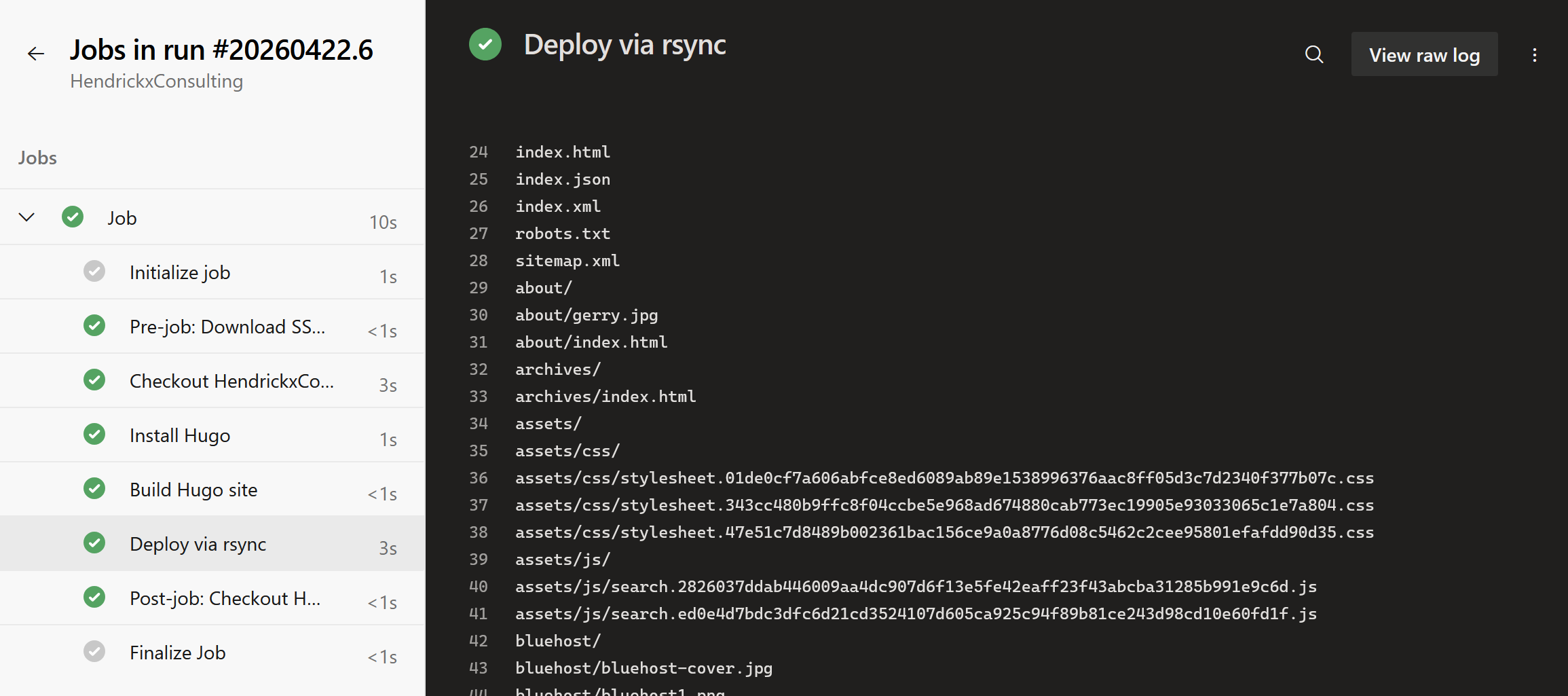
    displayName: Deploy via rsync
submodules: recursive is needed if the theme is a git submodule, which is the recommended way to manage PaperMod. fetchDepth: 0 is needed for Hugo’s .GitInfo and lastmod features to work correctly. The Hugo version is pinned explicitly rather than using latest, because theme compatibility is sensitive to version jumps and it is better to control upgrades deliberately.
The --delete flag on rsync ensures that posts or pages removed from the repo also disappear from the live site.
Creating the pipeline
- Go to Pipelines → Pipelines → New pipeline
- Select Azure Repos Git, then select the Hugo repository
- Select Existing Azure Pipelines YAML file, set branch to
mainand path to/azure-pipelines.yml - Click Run
On the first run, Azure DevOps will pause and ask for permission to access the secure file. Click View → Permit → Permit. This is a one-time step per pipeline.
Gotchas
Do not use hugo --minify. Hugo’s JSON minifier runs over JSON-LD structured data blocks and rejects invalid JSON that older versions silently ignored. PaperMod has at least one such block. The flag is not worth the debugging overhead for a blog.
End result
Every push to main in Azure DevOps triggers a build and an rsync deploy to /apps/hugo/public/ on the VPS. The nginx container serves whatever is on disk, no restart required, changes appear immediately. Traefik handles TLS termination, HTTP-to-HTTPS redirects, and www-to-bare-domain canonicalisation via the file provider config.
Both hendrickxconsulting.com and www.hendrickxconsulting.com get their own Let’s Encrypt certificates. The www variant redirects permanently to the bare domain. CrowdSec applies globally; geoblock applies only to the Pangolin tunnel routes, leaving the blog publicly accessible worldwide.
The full pipeline from git push to live site takes around 90 seconds on a Microsoft-hosted runner.