A pattern for homelab reverse proxy chaining over WireGuard tunnels
The Problem
Pangolin is a self-hostable tunneling reverse proxy, similar in spirit to Cloudflare Tunnel. You run Pangolin on a public VPS, deploy a lightweight agent called Newt inside your homelab, and Newt maintains an outbound WireGuard tunnel back to the VPS. Pangolin then proxies public traffic through that tunnel to your internal services, no open inbound ports required.
The challenge arises when you want to route traffic to internal services by DNS name rather than by IP address. In a typical homelab, DNS names for internal services are resolved by a local DNS server (like Pi-hole). Pangolin runs on the VPS and it has no access to your internal DNS, so it cannot resolve those names.
The Architecture
A typical homelab setup that runs into this problem looks like this:
• Pangolin — running on a public VPS
• Newt agent — running as a container in the homelab
• Traefik — running as a container, acting as the internal reverse proxy
• Pi-hole — running as a container, handling internal DNS resolution
Pi-hole knows that example.mydomain.com points to the internal Traefik instance. Traefik knows how to route that hostname to the correct container. But Pangolin, sitting on the VPS, knows none of this.
Why You Can’t Just Point Pangolin at Your Internal DNS
The instinctive fix is to tell Pangolin’s Docker container to use Pi-hole as its DNS server. In a locally-hosted setup this would work fine. But when Pangolin runs on a VPS, the Pi-hole is behind a NAT on your home network. It is not reachable from the public internet. The DNS query never arrives.
The Solution: Let Traefik Do the Resolving
The fix is to stop asking Pangolin to resolve anything. Instead, point Pangolin’s proxy target at Traefik’s IP address directly, and pass the correct Host header so Traefik knows which service to route to.
The request flow becomes:
Internet → Pangolin (VPS) → Newt tunnel → Traefik (by IP) → internal service
Pangolin forwards to a raw IP, no DNS needed. Traefik receives the request, reads the Host header, matches it against its routing rules, and forwards to the correct backend. Traefik can reach Pi-hole just fine because they are on the same internal network.
Configuration in Pangolin
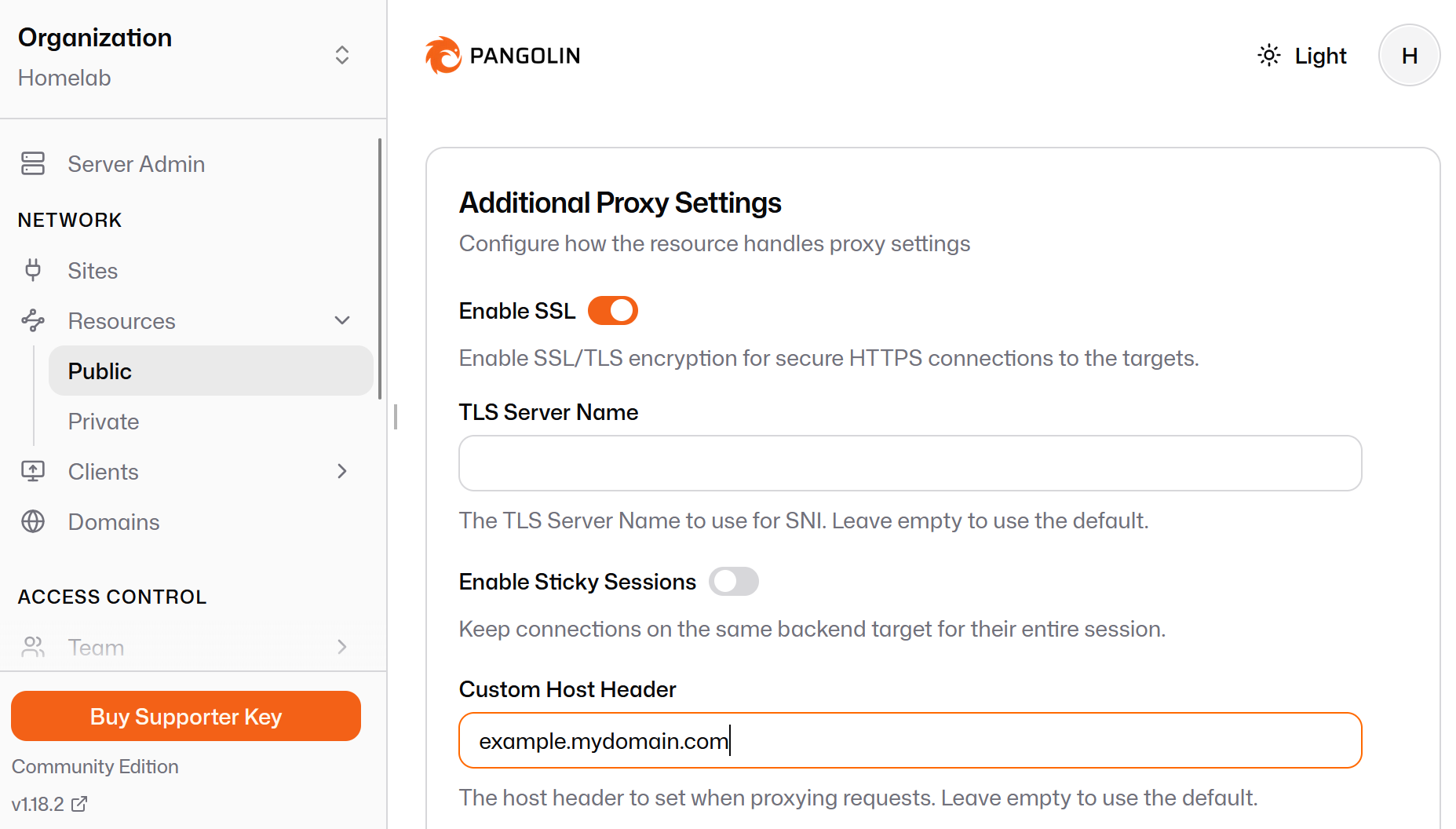
In Pangolin’s Proxy tab, enable Advanced Mode (toggle in the bottom-right corner of the Targets Configuration panel). This exposes a Host header field alongside the target address.
Set the target as follows:
Address: http://10.10.40.xx:80 (Traefik IP)
Host header: example.mydomain.com
That is all. Pangolin sends the request to Traefik’s IP with the correct Host header. Traefik matches it and routes accordingly. No internal DNS changes required, and no DNS configuration needed on the VPS side.
Bonus: One Target to Rule Them All
Because all traffic flows through Traefik anyway, you only need a single Pangolin target per Traefik instance, not one per service. Every service Traefik manages is automatically reachable. Just create a Pangolin proxy rule per hostname and point them all at the same Traefik IP with the appropriate Host header for each.
Summary
When Pangolin runs on a VPS and cannot reach your internal DNS:
1. Point Pangolin’s target at your Traefik LXC IP address (not a hostname)
2. Enable Advanced Mode in Pangolin and set the Host header to the internal service hostname
3. Let Traefik handle the rest: it lives on your internal network and can resolve everything