My son is learning music and guitar, and I decided to join him. I play guitar, have done so for years, but always by tabs, never with any formal education. Actual sheet music? Never really bothered. Now seemed like a good time to fix that.
The problem showed up quickly. Guitar tabs and most resources aimed at guitarists use letter notation: A, B, C, D, E, F, G. My son learns through solfège: Do, Re, Mi, Fa, Sol, La, Si. When we sit together and look at the same note on a staff, he calls it for example Do, and I have to think really hard whether it’s a Do or C. That is fine in principle, both systems map to the same notes, but it means I want to be fluent in both.
My Brain Needs Repetition
I am not a kid anymore, and I notice the difference. My son picks things up after seeing them a few times. I need to see something dozens of times before it stops requiring active thought. The solution is the same as it has always been: deliberate, repetitive practice until recognition becomes automatic.
Reading a note on a staff currently requires me to identify its position, map it to a letter name, then cross-reference the solfège equivalent. That chain of steps is too slow to be useful. I need to collapse it into a single reflex.
Building the Drill
Rather than searching for an app that happened to match exactly what I needed, I built one with Claude. I described the problem and what I wanted: a staff with a randomly placed note, and answer buttons for both notations below it. Claude produced a self-contained HTML file.
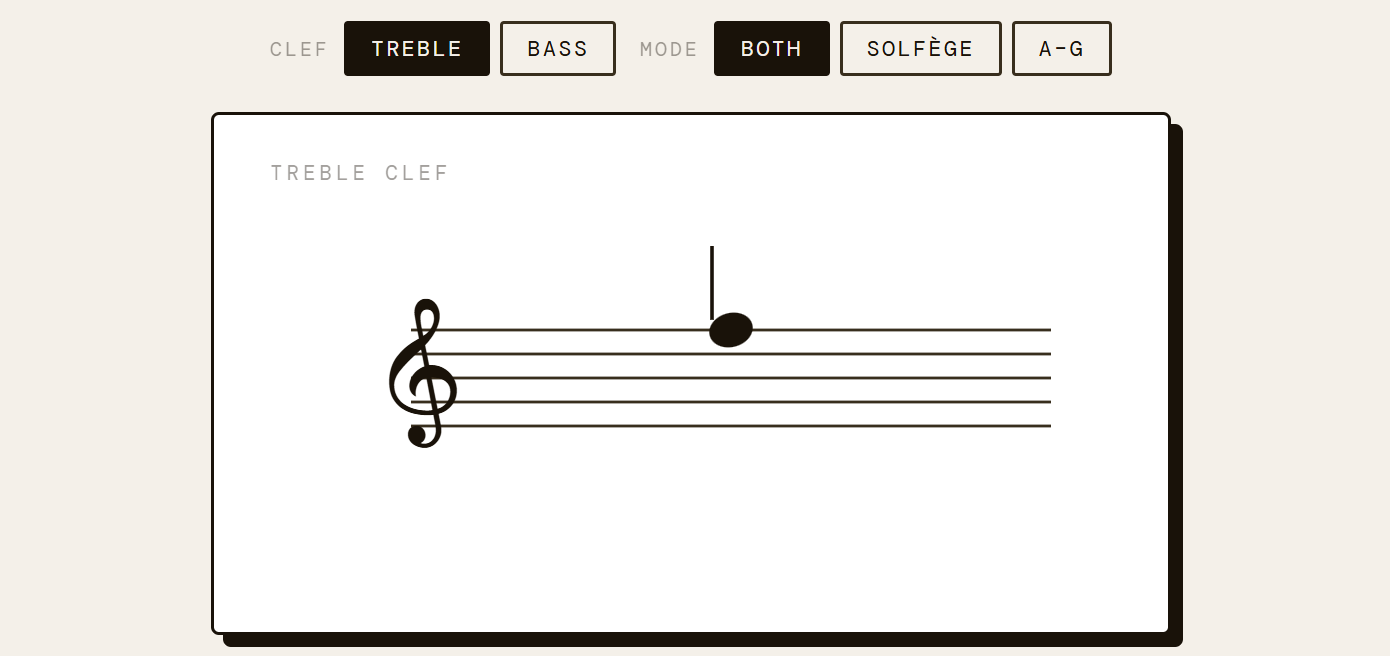
The app draws a proper music staff in SVG, places a note at a random position, and shows two rows of answer buttons. The top row is solfège (Do through Si), the bottom row is letter names (A through G). Both need a correct answer before moving to the next note. A wrong answer in either row counts as a miss.
It covers both treble and bass clef, and has a mode toggle to isolate one notation system at a time if I want to focus on just one. Streak counter and accuracy percentage keep track across the session. A reference table at the bottom shows the full mapping so I can check without leaving the page.
The drill itself
Below you can find the drill itself. It might be able to help you as much as it helped me!